
 Posted by
 Octoplus FRP Tool 3.0.1.1 Complete Guide For Windows (2026)
The Octoplus FRP Tool 3.0.1.1 is a robust software utility designed to assist users in bypassing Factory Reset Protection (FRP) on Android devices. This offline installer is a standalone setup compatible with both Windows 10 and Windows 11, enabling Android users, technicians, and service centers to resolve FRP lock issues efficiently. As we navigate through 2026, having a reliable tool for unlocking devices is increasingly significant, making this guide essential for anyone looking to leverage the capabilities of this latest version. For a better understanding of Android troubleshooting, check our guide on flashing stock ROMs with Odin.
What Is Octoplus FRP Tool and Why It Matters?
The Octoplus FRP Tool is developed specifically to facilitate the removal of FRP locks as well as screen locks on various Android devices. Since its inception, it has proven invaluable for users who forget their Google credentials after a factory reset. The tool simplifies the process of unlocking devices from major brands like Samsung, Xiaomi, and Huawei, allowing users to regain full access to their phones.
One lesser-known fact is that Octoplus even supports numerous less popular brands, ensuring a comprehensive service for technicians and users alike. In 2026, amidst increasing security measures imposed by manufacturers, the Octoplus FRP Tool remains a vital part of any Android service toolbox due to its straightforward interface and multi-device compatibility.
How Octoplus FRP Tool Works? (Simple Explanation)
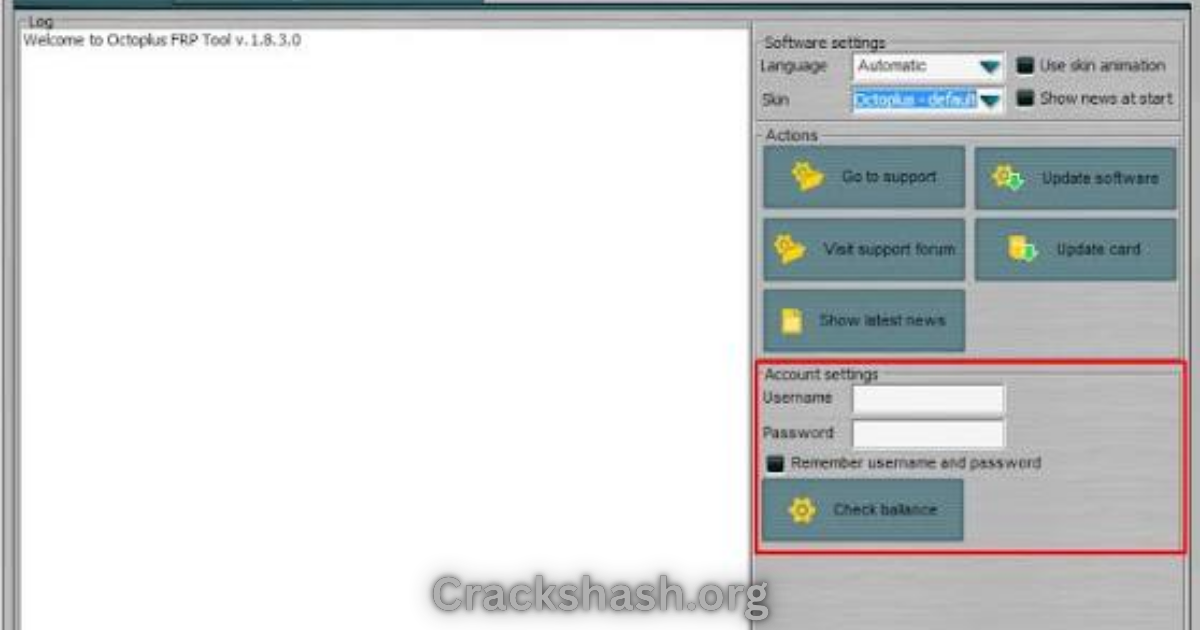
When you open the Octoplus FRP Tool, it presents a user-friendly interface that guides you through the process of unlocking your device. Here’s a concise breakdown of how it works:
- **Initial Setup:** Download and install the tool on your Windows machine.
- **Connect Your Device:** Use a USB cable to connect your Android device to the computer.
- **Select Your Device Brand:** Choose the specific Android brand from the provided options.
- **Follow Prompts:** The software will guide you through the necessary steps tailored for the selected device, whether it requires entering modes like MTP, EDL, or Fastboot.
- **Completion:** Once you initiate the process, the tool will remove the FRP lock, restoring access to your device.
Key Features That Improve Your Workflow
Understanding the powerful features of the Octoplus FRP Tool can enhance your experience. Here are some standout features:
- Wide Device Compatibility: Supports a vast range of Android devices including Samsung, Xiaomi, and Huawei.
- User-Friendly Interface: Intuitive design makes it easy for users of all skill levels.
- Fast Processing: Quickly removes FRP locks, saving you time.
- Automated Processes: Reduces manual efforts by guiding users through required modes.
- Offline Capability: Does not require an internet connection to function once installed.
- Secure Execution: Minimizes risks of bricking devices during the unlocking process.
- Regular Updates: Continues to evolve with new device models and security protocols.
- Multiple Brand Options: Easy access to tools for various brands in one software.
- Community Support: Comprehensive support forum and tutorials available online.
- Free Trial Access: Users can test the software before deciding on a purchase.
System Requirements
Before downloading, ensure your system meets the following requirements:
| Operating System | Windows 10/11 |
|---|---|
| RAM | 4GB or more |
| Processor | Intel Core i3 or equivalent |
| Storage Space | At least 500MB free |
| USB Ports | Available USB port for device connection |
Octoplus FRP Tool Download Details and Setup Info
Here’s what you need to know about downloading the Octoplus FRP Tool:
- File Name: install_octoplus_FRP_3.0.1.1.zip
- File Size: 287.7 MB
- Setup Type: Offline installer
- Free or Paid: Free trial available for all users
- Safety Tips: Download only from official sources to avoid malware.
How to Download and Install Octoplus FRP Tool
Installing the Octoplus FRP Tool is straightforward. Follow these steps:
Step 1: Download from the link given at the end of the article.
Step 2: Go to Settings > Security.
Step 3: Enable Install Unknown Apps.
Step 4: Open the APK file.
Step 5: Tap Install.
Use the download links provided in the section below.
Common Errors and Easy Fixes
Even the best software can encounter issues. Here’s a list of common problems and their solutions:
- Installation errors:Cause: Security settings may block installation.
Fix: Enable “Install Unknown Apps” in settings.
- Driver issues:Cause: Missing or incompatible USB drivers.
Fix: Install the correct drivers for your device.
- Device not detected:Cause: USB cable or port issues.
Fix: Replace the cable or try a different USB port.
- Compatibility issues:Cause: Older versions may not support newer devices.
Fix: Update to the latest version of the tool.
- Crashes:Cause: Insufficient system resources.
Fix: Free up memory or close background applications.
Pros and Cons You Should Know
While Octoplus FRP Tool is beneficial, it’s good to be aware of its pros and cons:
Pros
- Reliable and efficient FRP bypassing.
- Beautifully simple user interface.
- Regular updates and new features.
- Wide range of brand support.
Cons
- May require technical knowledge for complex issues.
- Certain features may be limited in the trial version.
- Active internet connection needed for updates.
- Not all devices may be supported.
Best Alternatives to Octoplus FRP Tool
If you are looking for alternatives, consider:
Frequently Asked Questions
What devices does Octoplus FRP Tool support?
It supports a wide range of Android devices from popular brands like Samsung, Xiaomi, Vivo, Oppo, and more.
Is Octoplus FRP Tool free to use?
Yes, there’s an official free trial, but some features may require purchase.
Can I use Octoplus FRP Tool with Windows 7?
No, it is designed for Windows 10 and Windows 11 only.
What security measures does the tool have?
The tool uses secure connections and minimizes risks of bricking during the FRP bypassing process.
Can I bypass FRP without technical skills?
The tool’s user-friendly interface makes it accessible for most users, though some technical understanding can be helpful.
What if my device is not detected?
Ensure the correct drivers are installed and try different USB ports.
How often is the software updated?
Updates are released regularly to support new devices and security measures.
Download Octoplus FRP Tool For Windows
Octoplus FRP Tool allows for resetting screen and FRP locks on Android Smartphones and Tablets.
File Name: install_octoplus_FRP_3.0.1.1.zip
File Size: 287.7 MB
How to Download: See Example
Download from the links below:
Main Server (Direct Download):
Final Verdict: Is It Worth Using in 2026?
The Octoplus FRP Tool remains a relevant and powerful choice for effectively managing FRP and screen lock issues across various Android devices. Its compatibility, user-friendly interface, and reliable support make it an invaluable tool for both technicians and everyday users. In 2026, as security protocols become tighter, having such a tool not only eases the unlocking process but significantly enhances the overall user experience. Therefore, investing your time with Octoplus FRP Tool could be the right decision for you.