
 Posted by
 Samsung ADB FRP Reset Tool (Latest version) Complete Guide For Windows (2026)
The Samsung ADB FRP Reset Tool is an essential offline installer for Windows 10 and Windows 11 users, offering a standalone setup to efficiently reset the factory reset protection (FRP) on Samsung devices. This guide is designed to help Android users and technicians navigate the challenges of FRP locks. Whether you are trying to unlock your device or simply looking for a reliable tool in 2026, this guide will provide clear instructions and essential information, including the official page for more support.
What Is Samsung ADB FRP Reset Tool and Why It Matters?
The Samsung ADB FRP Reset Tool is designed to help users bypass lock screens set by Factory Reset Protection (FRP). It allows users to regain access to their Samsung devices after a factory reset when they cannot remember their Google account credentials. Released initially in 2017, the tool still functions effectively in 2026, catering to the needs of both individuals and technicians.
This tool was created to solve the frustrating problem of being locked out. With more users relying on their devices for personal and professional use, FRP locks can be a significant obstacle. A lesser-known fact is that this tool can also work with a wide range of other Android devices, enhancing its utility greatly.
Its importance persists in 2026, as many users continue to face issues related to FRP, making this tool a vital resource.
How Samsung ADB FRP Reset Tool Works? (Simple Explanation)
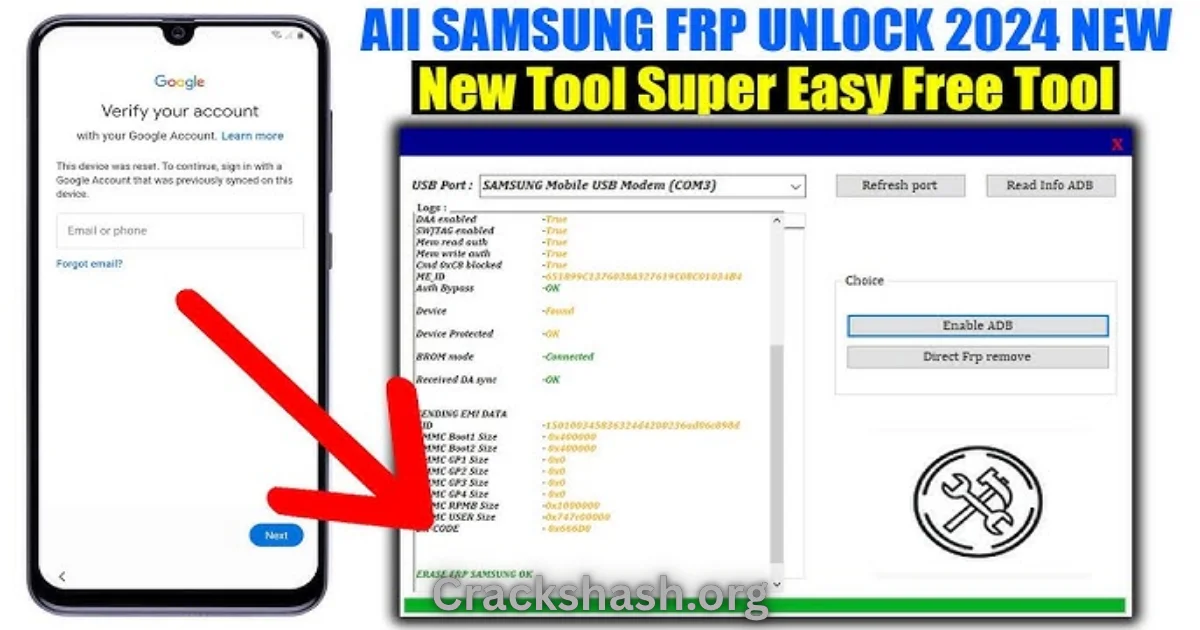
Using the Samsung ADB FRP Reset Tool is straightforward. When you open the application, it communicates with your connected Android device via ADB (Android Debug Bridge). The tool detects the factory reset lock and implements the necessary commands to remove it. Here’s a simple breakdown of the process:
- Connect your Samsung device to your PC.
- Open the Samsung ADB FRP Reset Tool.
- The tool detects your device and presents options to reset the FRP lock.
- You follow the on-screen instructions.
This seamless interaction between your PC and mobile device is designed to resolve issues quickly and efficiently, making it user-friendly for everyone.
Key Features That Improve Your Workflow
- Speed: Quickly removes FRP locks without unnecessary delays.
- Ease of Use: Intuitive interface suitable for beginners.
- Automation: Automatic detection of connected devices saves time.
- Device Compatibility: Works with various Samsung and Android devices.
- Security: Safeguards sensitive data throughout the unlocking process.
- Free Trial: Offers official free trial access for first-time users.
- Updates: Regular updates ensure continued compatibility with new devices.
- User Support: Comprehensive support available for troubleshooting.
- Documentation: Detailed manuals and guides for users.
- Backup Options: Allows back up of data before resetting.
These features significantly enhance the overall experience of using the tool during stressful situations, ensuring users can regain control of their devices efficiently.
System Requirements
| Requirement | Specifications |
|---|---|
| Operating System | Windows 10 or Windows 11 |
| RAM | 4 GB minimum |
| Storage | 200 MB of free space |
| USB Drivers | Samsung USB Driver installed |
| Internet Connection | Required for downloads and updates |
Samsung ADB FRP Reset Tool Download Details and Setup Info
| Tool Name | Download Link |
|---|---|
| Samsung_ADB_FRP_Reset_Tool.zip | Download |
File Size: Approx. 10 MB
Latest Version: 2017 (Latest)
Setup Type: Offline Installer
Free or Paid: Free with options for premium support
How to Download and Install Samsung ADB FRP Reset Tool
Step 1: Download from the link given at the end of the article.
Step 2: Go to Settings > Security.
Step 3: Enable Install Unknown Apps.
Step 4: Open the APK file.
Step 5: Tap Install.
Use the download links provided in the section below.
Common Errors and Easy Fixes
- Installation Errors: May occur if the installation is interrupted. Ensure a stable connection and restart the installation.
- Driver Issues: Outdated drivers can cause detection problems. Update your USB drivers from the official site.
- Device Not Detected: Ensure USB debugging is enabled on your device. Check cable connections.
- Compatibility Issues: Ensure that your Windows version meets the tool’s requirements.
- Crashes: Restart your PC and try running the tool as an administrator.
Pros and Cons You Should Know
Pros
- Highly effective in resetting FRP.
- User-friendly interface.
- Compatible with many Android devices.
- Regular updates provided.
- Free to use with a trial version.
Cons
- Frequent updates may confuse some users.
- Advanced features may be limited in the free version.
- Requires USB driver installation.
- Not all Android devices may be compatible.
Best Alternatives to Samsung ADB FRP Reset Tool
If you are seeking alternatives, consider:
Frequently Asked Questions
What devices does the Samsung ADB FRP Reset Tool support?
It supports most Samsung and various Android devices.
Is the Samsung ADB FRP Reset Tool free to use?
Yes, it offers free trial access.
What happens if my device gets stuck during the reset process?
You can restart your device and reattempt the reset procedure.
Can I use this tool on Mac OS?
No, it is designed specifically for Windows operating systems.
How can I safely uninstall the tool?
You can uninstall it like any other program from the Windows control panel.
Do I need an internet connection to use the tool?
Yes, you need it for downloading updates and the tool itself.
Where can I find updates for the Samsung ADB FRP Reset Tool?
Visit its official page for the latest releases and updates.
Download Samsung ADB FRP Reset Tool for Windows:
Main Server (Direct Download):
Final Verdict: Is It Worth Using in 2026?
The Samsung ADB FRP Reset Tool remains a valuable resource in 2026, providing a user-friendly and efficient solution for bypassing FRP locks. Whether you are a novice or an experienced technician, this tool simplifies the process of regaining access to your device. With its robust features and support, it is well worth considering for anyone encountering FRP lock challenges.