
 Posted by
 Samsung FRP Reset File (All Model) Complete Guide For Windows (2026)
If you’ve been locked out of your Samsung device due to Factory Reset Protection (FRP), the Samsung FRP Reset File is here to help. This standalone setup provides an offline installer for users on Windows 10 and Windows 11, simplifying the unlocking process for Android users and technicians alike. In the realm of mobile technology, having access to the right tools is crucial. This guide aims to clarify how to utilize the Samsung FRP Reset File effectively in 2026.
What Is Samsung FRP Reset File and Why It Matters?
The Samsung FRP Reset File is a specialized tool developed to assist users in bypassing the FRP lock that protects Samsung devices from unauthorized access after a factory reset. Introduced alongside the Android Lollipop version, this tool has evolved to cater to different Samsung models, allowing users to regain access to their phones securely.
The need for this tool arises when users forget their Google account credentials after a reset. It plays a vital role by helping users and technicians to unlock devices without compromising security. Even in 2026, as manufacturers increase security measures, tools like the Samsung FRP Reset File remain invaluable for device recovery.
How Samsung FRP Reset File Works? (Simple Explanation)
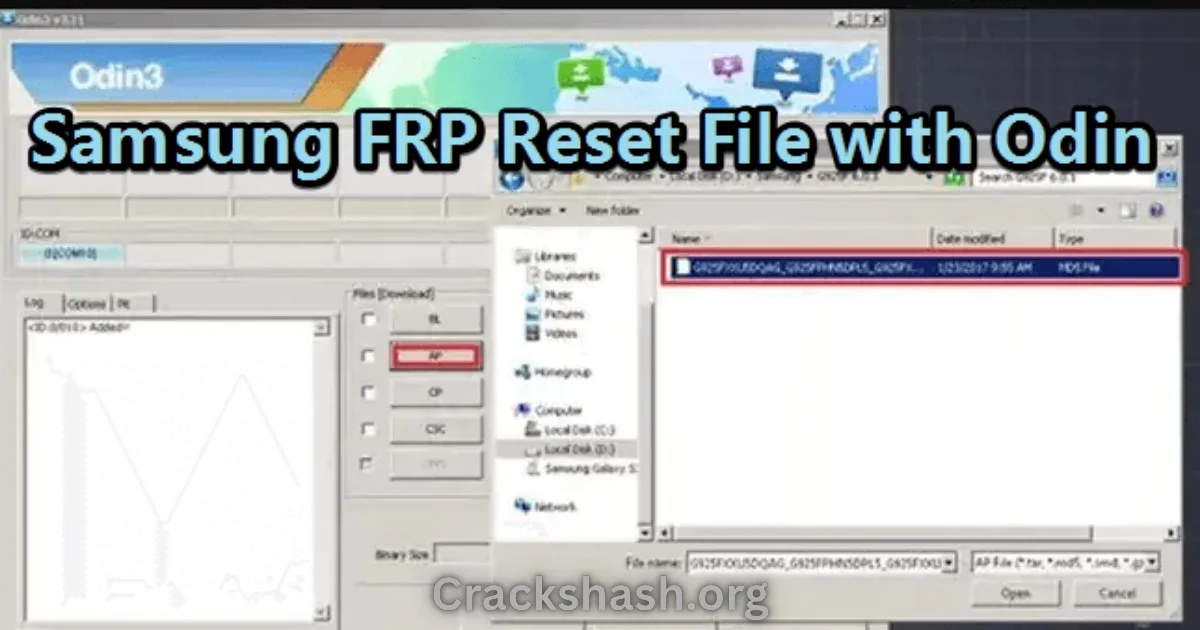
Upon accessing the Samsung FRP Reset File, users will find a straightforward interface. Once the appropriate file is selected for their specific model, the application initiates a series of automated processes to interact with the device. This includes:
- Connecting the device through a USB cable to the computer.
- Detecting the device model and validating the necessary files.
- Executing commands to unlock the FRP, ensuring the device is restored to its usable state.
This user-friendly approach offers anyone, no matter their technical expertise, the ability to regain access to their devices without prior experience.
Key Features That Improve Your Workflow
The Samsung FRP Reset File brings various features that enhance your user experience. Here are some notable ones:
- Speed: Quick operations ensure minimal downtime while restoring access.
- Ease of Use: A straightforward interface makes it accessible for everyone.
- Automation: Automated processes to save time and effort.
- Device Compatibility: Supports a wide range of Samsung models.
- Security: Maintains the integrity of your device throughout the unlocking process.
- Backup Compatibility: Allows users to back up important data prior to resetting.
- No Virus Risk: Scanned for malware and known vulnerabilities.
- Regular Updates: Regular updates ensure compatibility with the latest Samsung firmware.
- Customer Support: Availability of support for troubleshooting.
- Multi-language Support: caters to a global audience with multiple language options.
These features collectively improve productivity and provide a smoother experience when managing device issues.
System Requirements
| Component | Requirement |
|---|---|
| OS | Windows 10 or Windows 11 |
| RAM | 2 GB minimum |
| Free Disk Space | 500 MB |
| USB Driver | Samsung USB Driver Installed |
Samsung FRP Reset File Download Details and Setup Info
| Detail | Information |
|---|---|
| File Size | Approximately 100 MB |
| Latest Version | 2026 Release |
| Setup Type | Offline Installer |
| Free or Paid | Free |
| Safety Tips | Always download from official or trusted sources to avoid malware. |
How to Download and Install Samsung FRP Reset File
Step 1: Download from the link given at the end of the article.
Step 2: Go to Settings > Security.
Step 3: Enable Install Unknown Apps.
Step 4: Open the APK file.
Step 5: Tap Install.
Use the download links provided in the section below.
Common Errors and Easy Fixes
- Installation Errors:Cause: Incomplete downloads. Fix: Ensure the complete file has downloaded without interruptions.
- Driver Issues:Cause: Missing drivers on your computer. Fix: Install the Samsung USB Driver.
- Device Not Detected:Cause: Connection issues. Fix: Check USB cable and port.
- Compatibility Issues:Cause: Using the wrong file for your device model. Fix: Verify that you have the correct FRP file for your Samsung model.
- Crashes:Cause: Insufficient system resources. Fix: Close unnecessary applications to free up RAM.
Pros and Cons You Should Know
Pros
- Completely free to use.
- User-friendly interface.
- Supports a wide range of Samsung models.
- Regular updates to ensure security.
- Provides assistance for troubleshooting issues.
Cons
- Can be complicated for non-technical users.
- Requires a stable internet connection for downloading files.
- Some models may require advanced technical knowledge for effective use.
- Occasional compatibility issues with newer Samsung models.
- May not bypass all security measures for every device.
Best Alternatives to Samsung FRP Reset File
If you’re looking for alternatives, consider exploring:
Frequently Asked Questions
**What is FRP?**
Factory Reset Protection is a security feature introduced by Google to prevent unauthorized access.
**Is the Samsung FRP Reset File safe to use?**
Yes, when downloaded from trusted sources, it is safe.
**Can I use this tool on any Samsung model?**
The tool supports a wide range of Samsung models, but verify compatibility before use.
**Do I need technical knowledge to use this tool?**
Basic computer skills will be sufficient, but some advanced troubleshooting may require more knowledge.
**Is there a cost associated with the Samsung FRP Reset File?**
No, it is completely free to use.
**How long does the process typically take?**
It usually takes around 10-15 minutes, depending on your device model.
**Where can I download the Samsung FRP Reset File?**
The official download links are provided at the end of this article.
Download Samsung FRP Reset File for Windows:
Main Server (Direct Download):
Download Now
Final Verdict: Is It Worth Using in 2026?
In conclusion, the Samsung FRP Reset File continues to be a dependable tool for unlocking your Samsung devices securely. By following this guide, users will be well-equipped to handle the challenges posed by FRP locking in 2026 and beyond. Given its user-friendly nature and robust features, it is definitely worth considering if you find yourself in a locked-out situation.