 Posted by
 Tecno/Infinix MDM Official Unlock By IMEI – Permanent Unlock Complete Guide For Windows (2026)
If you’re looking to unlock your Tecno/Infinix MDM by IMEI, then this guide is for you! The offline installer of our tool provides a standalone setup for Windows 10 and Windows 11 users, offering official free trial access. This article helps you navigate the unlocking process effectively in 2026, ensuring that you gain complete control over your device without stress.
What Is Tecno/Infinix MDM and Why It Matters?
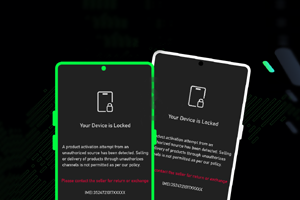
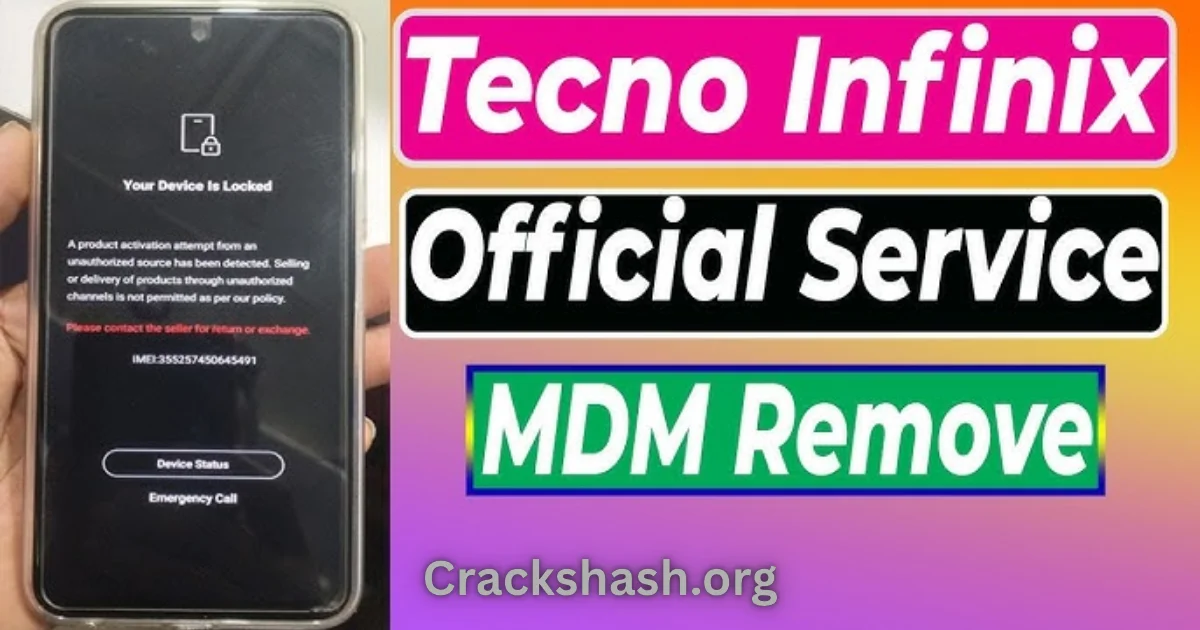
Tecno/Infinix MDM (Mobile Device Management) is a security feature designed to control devices effectively. Released to enhance the user experience, MDM ensures that users can manage their device settings remotely. Its primary purpose is to prevent unauthorized access and secure data. The tool allows unlocking, flashing, and repairing devices easily.
Interestingly, many users are unaware that MDM can be unlocked without external flashing tools. In 2026, understanding how to navigate these processes remains crucial, as more users opt for digital privacy and device security.
How Tecno/Infinix MDM Works? (Simple Explanation)
When you first open the Tecno/Infinix MDM tool, you’ll notice a straightforward interface. The tool connects to your device via USB, reading the IMEI number. Once recognized, it performs essential checks against its database to ensure the device is eligible for unlocking. After confirming this, the tool deploys commands to remove the MDM lock, allowing you full access.
Key Features That Improve Your Workflow
- Speed: The unlocking process is quick and efficient.
- Ease of Use: A user-friendly interface simplifies the process.
- Automation: Automates repetitive tasks for enhanced convenience.
- Device Compatibility: Supports a vast range of Tecno and Infinix models.
- Security: Ensures safe interactions with your device.
- Real-time Feedback: Provides live updates during the unlocking process.
- Comprehensive Support: Access to tutorials and community forums.
- Cost-effective: An inexpensive alternative to hiring a technician.
- No Flashing Required: Eliminates the need for complex setups.
- Official Access: Provides legitimate authorization for your actions.
System Requirements
| Requirement | Details |
|---|---|
| Operating System | Windows 10 or Windows 11 |
| RAM | At least 2 GB |
| Storage | 500 MB available space |
| USB Driver | Latest USB drivers for your device |
Tecno/Infinix MDM Download Details and Setup Info
Before proceeding with the installation, here’s what you need to know:
- File Size: Approximately 200 MB
- Latest Version: Version 1.0.0
- Setup Type: Offline installer
- Free or Paid: Free with premium options
Always ensure you are downloading from official or trusted sources to avoid malicious files.
How to Download and Install Tecno/Infinix MDM
Follow these simple steps to download and install the tool:
Step 1: Download from the link given at the end of the article.
Step 2: Go to Settings > Security.
Step 3: Enable Install Unknown Apps.
Step 4: Open the APK file.
Step 5: Tap Install.
Use the download links provided in the section below.
Common Errors and Easy Fixes
Installation Errors
Cause: Incomplete downloads or corrupted files.
Simple Fix: Redownload the installation file.
Driver Issues
Cause: Missing or outdated USB drivers.
Simple Fix: Install the latest drivers from the manufacturer’s website.
Device Not Detected
Cause: USB connection issues.
Simple Fix: Change the USB cable or port.
Compatibility Issues
Cause: Running an older version of Windows.
Simple Fix: Upgrade to Windows 10 or 11.
Crashes
Cause: System overload.
Simple Fix: Close unnecessary applications during the unlocking process.
Pros and Cons You Should Know
Pros
- Cost-effective method of unlocking.
- No need for specialized technical knowledge.
- Fast and reliable performance.
- Comprehensive support resources available.
- Remote access without needing to leave your home.
- Compatible with a broad range of devices.
Cons
- Limited functionality for non-technical users.
- Initial setup may require multiple steps.
- Not all devices may be supported.
- Potential safety risks if downloaded from untrusted sources.
- May require constant updates for optimal performance.
- Access to some features may be locked behind a paywall.
Best Alternatives to Tecno/Infinix MDM
While Tecno/Infinix MDM is great, there are other tools worth considering for mobile device management:
Frequently Asked Questions
What is MDM?
MDM stands for Mobile Device Management, a feature that secures, monitors, and manages mobile devices.
Can I unlock MDM without tools?
Yes, using official services via IMEI can unlock MDM without requiring additional tools.
Is unlocking MDM permanent?
If done correctly, the unlock remains permanent unless the firmware is updated.
How long does the unlocking process take?
The process usually takes only a few minutes.
Is it safe to use this tool?
As long as you download it from trusted sources, it is generally safe.
Are there risks to unlocking my device?
Risks can include voiding warranties or potential data loss, so proceed with caution.
Can all Tecno/Infinix models be unlocked?
Most models are supported, but it’s best to check compatibility before starting.
Final Verdict: Is It Worth Using in 2026?
Unlocking your Tecno/Infinix MDM by IMEI in 2026 is highly beneficial. With a user-friendly interface, extensive support, and quick processes, it’s a reliable solution for those looking to manage their devices effectively. Given the increasing demand for device security and remote management, tools like Tecno/Infinix MDM will continue to be relevant in the coming years. It makes sense to invest in mastering this tool for your Android device needs.