
 Posted by
 iBypassSignal Tool Complete Guide For Windows (2026)
The iBypassSignal Tool is a powerful mobile application designed to help users easily bypass activation locks on Apple devices. This tool is available for both Windows 10 and Windows 11 and offers an offline installer and a standalone setup. With an official free trial access, users can experience its capabilities firsthand. This guide is crafted to assist users through the installation and use of the tool, ensuring they navigate potential challenges effectively in 2026.
What Is iBypassSignal Tool and Why It Matters?
The iBypassSignal Tool was developed to assist users in overcoming the iCloud Activation Lock on various Apple devices, including iPhones and iPads. Initially released to meet growing needs for device security management, this tool simplifies the unlocking process while ensuring a user-friendly interface.
It was created as a solution for those who found themselves locked out of their devices, whether due to forgotten passwords or purchasing second-hand items. One lesser-known fact about iBypassSignal is that it integrates seamlessly with both Windows and Mac environments, allowing for broader accessibility compared to similar tools.
In 2026, this tool remains highly relevant as device security continues to be a pressing concern for many users. The need for solutions that can safely unlock devices while preserving user experience makes iBypassSignal an essential application for technicians and everyday users alike.
How iBypassSignal Works? (Simple Explanation)
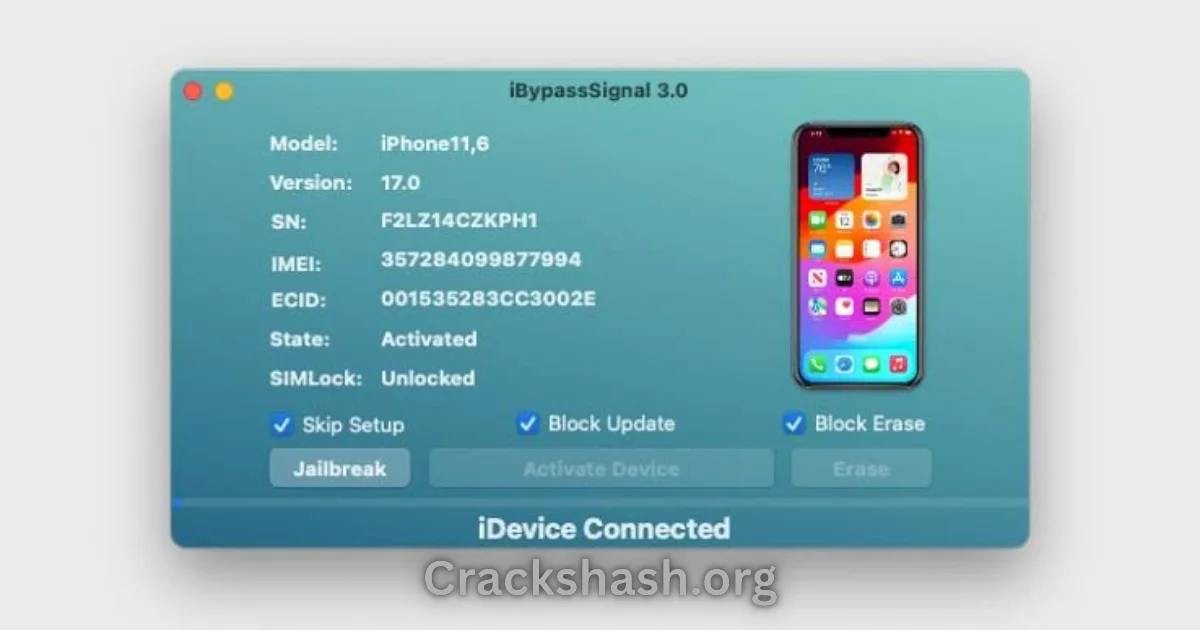
When a user opens the iBypassSignal Tool, the application initiates a series of checks to ensure compatibility with the connected device. The tool interacts with both Android and iOS devices, allowing users to follow guided steps for unlocking. Essentially, it communicates with the phone’s software to navigate through security layers, providing a pathway to bypass the activation lock. This process is streamlined for ease, ensuring that users with minimal technical knowledge can successfully unlock their devices.
Key Features That Improve Your Workflow
- Speed: Offers quick unlocking processes, significantly reducing wait times.
- Ease of Use: User-friendly interface that guides users through each step.
- Automation: Minimal manual input required, boosting efficiency.
- Device Compatibility: Wide range of supported devices, including various iPhones and iPads.
- Security: Maintains device integrity while bypassing locks.
- Free Trial: Allows users to test before commitment.
- Multi-Platform: Available on both Windows and Mac.
- Regular Updates: Continuous enhancements ensure up-to-date functionalities.
- Support: Provides user support for troubleshooting.
- Official Reseller Integration: Connects with authorized resellers for authentication.
System Requirements
| Component | Requirement |
|---|---|
| Operating System | Windows 10/11 or macOS |
| RAM | At least 4 GB |
| Disk Space | Minimum 500 MB free space |
| Processor | Intel or AMD Processor (64-bit) |
| USB Port | Available USB port for device connection |
iBypassSignal Tool Download Details and Setup Info
File Size: Approximately 500 MB
Latest Version: 3.2
Setup Type: Offline Installer
Pricing: Free to download, with premium features available
Safety Tips: Always download from official sources to avoid harmful files. Ensure your antivirus is active during installation.
How to Download and Install iBypassSignal Tool
Step 1: Download from the link given at the end of the article.
Step 2: Go to Settings > Security.
Step 3: Enable Install Unknown Apps.
Step 4: Open the APK file.
Step 5: Tap Install.
Use the download links provided in the section below.
Common Errors and Easy Fixes
- Installation Errors: Often caused by antivirus software. Disable temporarily to allow the installation.
- Driver Issues: Ensure Apple USB Driver is installed prior to running the tool.
- Device Not Detected: Check USB connections; a faulty cable can cause this.
- Compatibility Issues: Verify whether your device model is supported.
- Crashes: Clear cache or reinstall the tool for stability.
Pros and Cons You Should Know
Pros
- High compatibility with various Apple devices.
- Fast and efficient unlocking process.
- User-friendly interface, suitable for all experience levels.
- Regular updates improve functionality.
- Free trials allow users to test features.
Cons
- Some features are only available in the paid version.
- Requires a stable internet connection for best performance.
- Could face challenges due to evolving device security.
- Some users may find the initial setup confusing without proper guidance.
Best Alternatives to iBypassSignal Tool
If you are looking for alternatives to iBypassSignal, consider:
Frequently Asked Questions
What devices are compatible with iBypassSignal?
iBypassSignal is compatible with a wide range of Apple devices, including iPhones and iPads.
Is it safe to use iBypassSignal Tool?
Yes, as long as you download it from official sources and follow safety tips.
Can iBypassSignal be used on Android devices?
No, this tool is specifically designed for Apple devices only.
Do I need to jailbreak my device before using the tool?
Yes, jailbreaking is required to allow the tool to bypass the activation lock.
How frequently is iBypassSignal updated?
The developers regularly provide updates to enhance performance and add new features.
Is there a free trial available?
Yes, users can download a version of the tool for free to test its features.
What should I do if I encounter installation errors?
Temporarily disable any antivirus software during installation to avoid conflicts.
Download iBypassSignal Tool For Windows & MAC
The tool allows bypassing iCloud activation on Apple devices. Use any of the following mirror links to download it.
Tool Name: iBypassSignal.zip
| VERSION | LINK:1 | LINK:2 |
|---|---|---|
| v3.2 (Windows) | Mega | AFH |
| v3.0 (Windows) | Mega | AFH |
| v2.3 (Mac) | Mega | AFH |
Final Verdict: Is It Worth Using in 2026?
In conclusion, the iBypassSignal Tool remains a prominent solution for users looking to bypass iCloud activation locks on their Apple devices. Given its ease of use, significant features, and continuous updates, it is a worthwhile investment for both technicians and everyday users in 2026. Whether you find yourself locked out of a device or need to assist a client, iBypassSignal proves itself to be an essential tool.