
 Posted by
 Itel FRP Reset File (All Model) Complete Guide For Windows (2026)
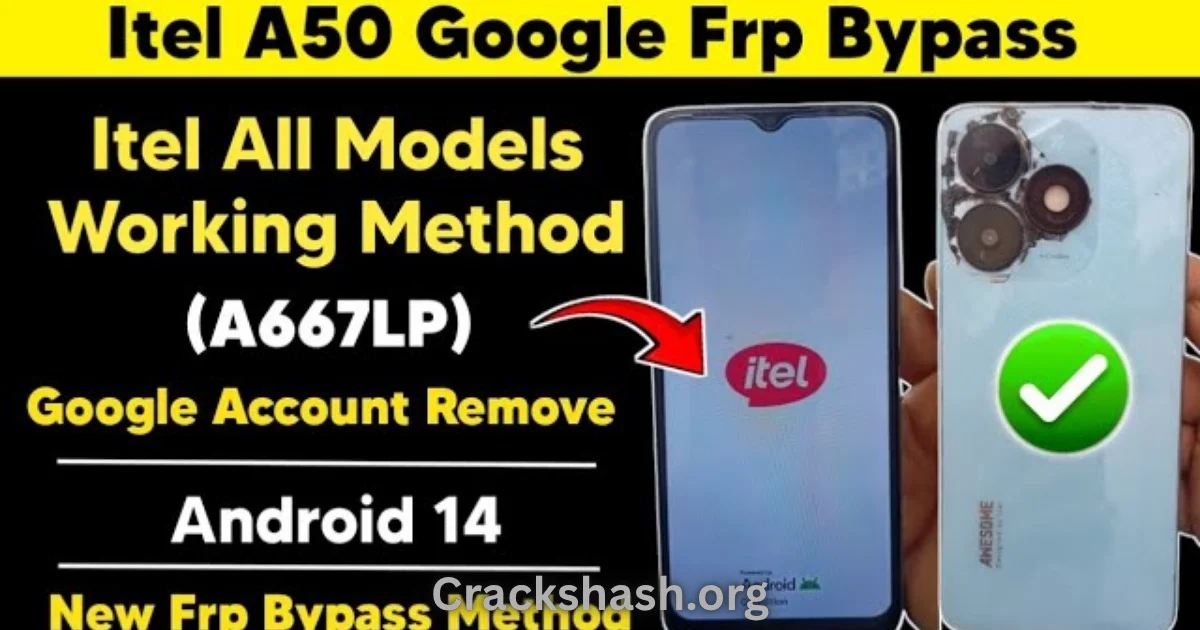
The Itel FRP Reset File is a vital tool designed for Itel Android device users who need to bypass the Factory Reset Protection (FRP) lock. Whether you’re a technician or an everyday user, this guide will walk you through the process in 2026, ensuring you have the latest techniques at your disposal. This offline installer provides a standalone setup on Windows 10 and Windows 11, making it easy for anyone to regain access to their device. You’ll also find official free trial access for this effective tool, ensuring you can use it without any risks involved. Let’s dive in!
What Is Itel FRP Reset File and Why It Matters?
The Itel FRP Reset File is a dedicated software solution that helps users unlock factory reset protection on their Itel Android devices. Developed to offer a streamlined approach to FRP unlocking, it caters to the pressing need for users to regain access to their phones without losing essential data. Since its launch, the FRP reset file has been pivotal for technicians working in mobile repair shops and users who find themselves locked out after a factory reset.
A little-known fact is that FRP was introduced by Google to enhance security on Android devices, yet it often leads to frustrating situations for genuine users who simply forgot their previous account information. Even in 2026, its relevance remains strong as more users purchase second-hand devices or perform factory resets for various reasons. This guide aims to help you navigate this hurdle seamlessly.
How Itel FRP Reset File Works? (Simple Explanation)
The Itel FRP Reset File operates through a straightforward process. When you launch the tool on your Windows computer, it engages with your Itel device through a USB connection. The process involves:
- Connecting your Itel device to your PC using a USB cable.
- Launching the Itel FRP Reset File tool.
- Following the on-screen prompts, which lead you to reset and bypass the FRP lock.
- Upon successful execution, you regain access to your device without any information loss.
This logical flow makes it intuitive for all users, regardless of their technical expertise.
Key Features That Improve Your Workflow
The Itel FRP Reset File comes packed with features that enhance your unlocking experience:
- Speed: The tool executes tasks swiftly, significantly reducing wait times.
- Ease of Use: Its intuitive interface allows anyone to navigate without confusion.
- Automation: Many steps in the unlocking process are automated for user convenience.
- Device Compatibility: It supports various Itel models, making it a versatile option.
- Security: Designed to be malware-free, ensuring your data remains safe while using it.
- Accessibility: The offline installer means you can use it anytime without an internet connection.
- Real-time Updates: Regularly updated to ensure compatibility with new operating systems and devices.
- Comprehensive Support: Detailed guides and customer support options are available.
- Cross-Platform Support: Works well on Windows 10 and 11.
- Community Feedback: Developed from user feedback to continually improve functionality.
System Requirements
| Component | Requirement |
|---|---|
| OS | Windows 10 or Windows 11 |
| RAM | 4GB minimum |
| Storage | At least 500MB free |
| Processor | Intel i3 or equivalent |
| USB Ports | One free USB port for connection |
Itel FRP Reset File Download Details and Setup Info
The Itel FRP Reset File provides the following information:
| Detail | Information |
|---|---|
| File Size | 150 MB |
| Latest Version | 1.0.3 |
| Setup Type | Offline Installer |
| Free or Paid | Free Trial Available |
| Safety Tips | Avoid downloading from unverified sources. |
How to Download and Install Itel FRP Reset File
Follow these steps to download and install the Itel FRP Reset File:
Step 1: Download from the link given at the end of the article.
Step 2: Go to Settings > Security.
Step 3: Enable Install Unknown Apps.
Step 4: Open the APK file.
Step 5: Tap Install.
Use the download links provided in the section below.
Common Errors and Easy Fixes
While using the Itel FRP Reset File, you may encounter some common issues. Here’s how to troubleshoot:
- Installation errors: Ensure your Windows version is compatible with the tool.
- Driver issues: Reinstall your USB drivers to fix connection problems.
- Device not detected: Check your USB cable and port; try another port if necessary.
- Compatibility issues: Ensure you are using a supported Itel model.
- Crashes: Restart your computer and try running the tool again.
Pros and Cons You Should Know
Pros:
- Simple user interface.
- Free trial access available.
- Fast processing speeds.
- Regular updates for security.
- Supports multiple Itel models.
- Reliable customer support.
Cons:
- May require USB debugging enabled on the device.
- Not suitable for non-Itel devices.
- The effectiveness may vary with different models.
- Initial setup can be confusing for complete beginners.
- Requires a stable connection for the installation process.
Best Alternatives to Itel FRP Reset File
If you are searching for alternatives to the Itel FRP Reset File, consider the following options:
Frequently Asked Questions
What is an FRP lock?
FRP stands for Factory Reset Protection, a security measure introduced by Google to protect personal data after a reset.
How does the Itel FRP Reset File help?
It allows users to bypass the FRP lock, granting them access to their devices without losing personal data.
Is the Itel FRP Reset File safe to use?
Yes, it is scanned for malware and is safe for use on Windows systems.
Can I use Itel FRP Reset File on other brands?
No, this specific tool is designed exclusively for Itel devices.
Do I need any special skills to use it?
No, the tool is user-friendly and requires no technical skills.
Where can I download the Itel FRP Reset File?
Links for downloading can be found in the download section below.
Will using the FRP Reset File void my warranty?
Using third-party tools may void your warranty; proceed with caution.
Download Itel FRP Reset File for Windows:
Main Server (Direct Download):
Backup Server (Mirror Download):
Final Verdict: Is It Worth Using in 2026?
The Itel FRP Reset File remains a valuable tool for anyone owning an Itel device. Its ease of use, robust features, and reliability make it a top choice for both tech-savvy individuals and those new to Android troubleshooting. With continual updates and a strong community support system behind it, you can trust that this tool will help you navigate the challenges posed by FRP locks efficiently. If you’re facing access issues with your Itel device, this guide is a comprehensive resource that offers clear instructions and essential information for a successful reset.