FreeTube Free Download – Features, Benefits, and Installation Guide
Watching online videos has become part of everyday life, but some users prefer alternatives that offer more control over their viewing experience and personal data. FreeTube is a free, open-source desktop application designed for watching YouTube content with a focus on privacy. It provides a dedicated interface for browsing videos, managing subscriptions, organizing playlists, and adjusting playback preferences.
If you are searching for FreeTube free download, this guide explains what the application offers, its main features, supported platforms, privacy considerations, and installation process. Whether you use Windows, macOS, or Linux, FreeTube can be worth exploring if you want a desktop-based alternative to watching YouTube through a conventional browser.
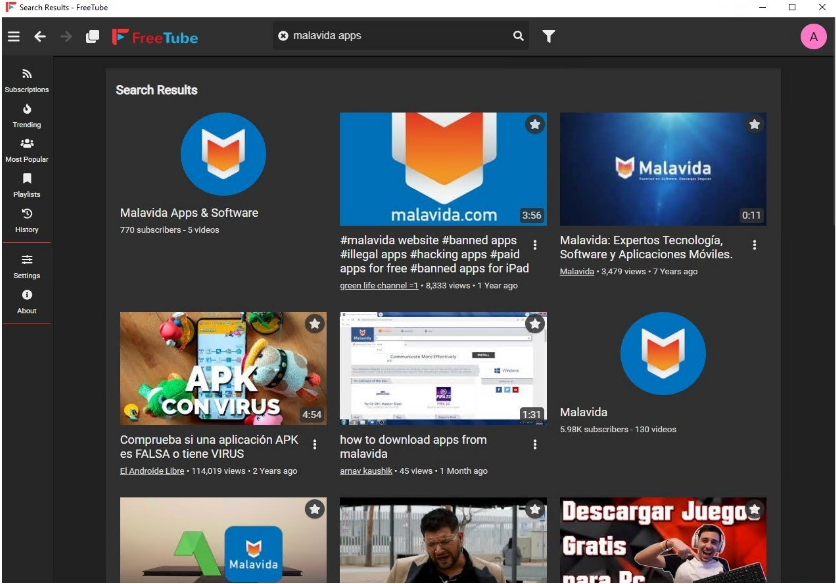
What Is FreeTube?
FreeTube is a free and open-source desktop application that allows users to browse and watch YouTube videos through an alternative interface. It is designed for people who want a more privacy-conscious viewing experience without relying on the standard YouTube website.
Unlike a typical browser session, FreeTube provides dedicated features for managing subscriptions, playlists, viewing history, and playback preferences. Its interface is designed to make video discovery and organization convenient.
The application is community-developed, and its source code is publicly available. This allows developers and interested users to review the project, report issues, and contribute improvements.
FreeTube is not an official YouTube application. Its ability to access videos and other content depends on the availability and compatibility of the services it uses, which can change over time.
Key Features of FreeTube
1. Privacy-Focused Video Watching
Privacy is one of the main reasons people explore FreeTube. The application is designed to reduce reliance on conventional YouTube tracking and provide users with greater control over their viewing experience.
It offers privacy-oriented settings and account-independent viewing workflows. However, privacy-conscious users should understand that using FreeTube does not make every internet activity anonymous. Network connections, external services, and the user's internet provider may still expose certain information.
Users should review the application's current privacy documentation and settings to understand how information is handled.
2. YouTube Video Browsing
FreeTube provides an interface for discovering and watching available YouTube content. Users can search for videos, explore channels, and access video information without using the standard YouTube interface.
The browsing experience is organized around familiar video discovery activities, making it easier for people who already use YouTube regularly.
Content availability may occasionally be affected by changes to YouTube or the services used by FreeTube.
3. Subscription Management
Keeping track of favorite channels can become difficult when following many creators. FreeTube offers subscription management tools that help users organize channels within the application.
Users can follow channels and check for available updates without necessarily using a conventional Google account-based subscription workflow.
This feature can be particularly useful for people who watch educational content, technology tutorials, entertainment videos, and news channels.
4. Playlist Support
Playlists provide a convenient way to organize videos according to different interests.
FreeTube includes playlist-related functionality that can help users group content for later viewing. For example, users may want separate collections for programming tutorials, documentaries, music-related videos, or educational material.
The available playlist options may depend on the current application version.
5. Watch History
Watch history helps users find videos they have previously viewed. Instead of searching for the same content again, users can review their viewing activity through the application's history-related features.
FreeTube also provides privacy-oriented history controls. Users should review the available settings to understand how viewing information is stored and managed.
6. Video Playback Controls
A convenient playback experience is essential for desktop video applications. FreeTube provides video playback functionality along with available viewing controls.
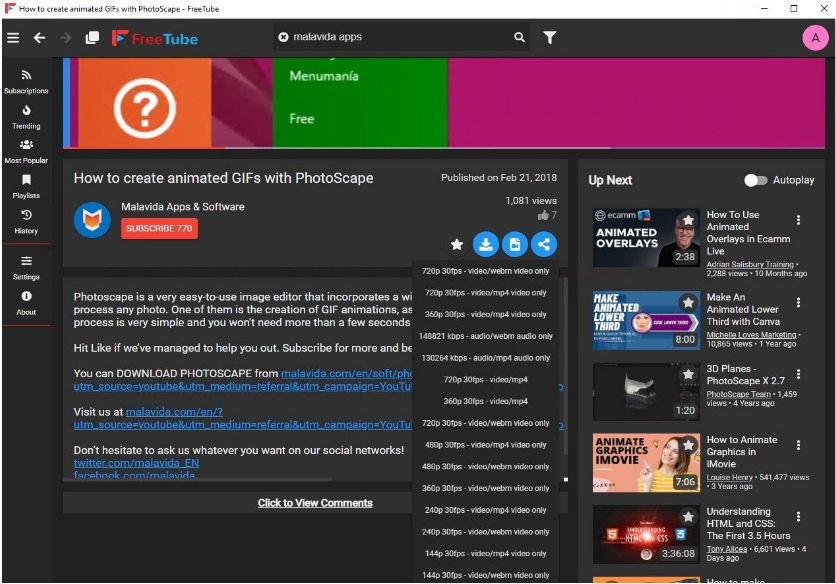
Depending on the release and playback configuration, users can adjust supported playback preferences and video quality.
These options make it easier to enjoy online content in a dedicated desktop environment.
7. SponsorBlock Integration
FreeTube supports SponsorBlock integration, which can help users skip certain video segments identified by the SponsorBlock community.
SponsorBlock relies on community-submitted information about segments within videos. Depending on the available settings and submitted data, viewers may be able to skip sponsored sections or other supported segment types.
This feature is optional, and its availability depends on the current integration and configuration.
8. Customization Options
FreeTube offers interface customization options that allow users to adjust aspects of their viewing environment.
Depending on the version, available settings may include themes, appearance preferences, and other interface-related options.
Customization can make the application more comfortable to use, especially for people who spend considerable time browsing and watching videos.
9. Open-Source Development
FreeTube is an open-source project. Its source code is publicly available through its official development repository.
Open-source development offers several advantages:
Users can inspect publicly available source code.
Developers can contribute improvements.
Community members can report bugs.
Changes and updates can be reviewed.
Users can follow development discussions.
The open-source model also makes it easier to understand how the project develops over time.
Benefits of Using FreeTube
FreeTube offers several advantages for users looking for an alternative desktop video-viewing experience.
Privacy-focused design: Its features are designed to reduce dependence on conventional YouTube tracking and account-based viewing.
Free and open-source: Users can download and use the application without purchasing a standard software license.
Desktop convenience: A dedicated application provides an alternative to keeping YouTube open in a browser tab.
Subscription organization: Users can manage their favorite channels in one place.
Playlist management: Supported playlist features help organize videos according to personal interests.
Customizable experience: Available appearance and playback settings allow users to adjust the application.
Cross-platform availability: FreeTube provides releases for supported Windows, macOS, and Linux systems.
FreeTube User Interface and Ease of Use
FreeTube is designed to provide a familiar video-browsing experience through a dedicated desktop interface.
Users can explore available content, search for videos, access channels, and manage subscriptions through the application's navigation.
Its main workflow is relatively straightforward:
Open the application.
Search for a video or channel.
Select available content.
Watch videos using the built-in playback interface.
Organize favorite channels and playlists.
Adjust privacy and appearance settings.
New users should spend a little time exploring the settings menu. This helps them understand available privacy controls, playback preferences, and subscription options.
The exact interface may change between releases as the project receives updates.
FreeTube Supported Platforms
FreeTube is available for several desktop operating systems.
Windows
Windows users can download the appropriate release package from the official project. The available installer or package format may depend on the release.
macOS
FreeTube also provides macOS builds for supported versions of Apple's desktop operating system. Users should check the release notes for compatibility and installation instructions.
Linux
Linux users can access supported distribution packages and installation formats. Available options may include AppImage and other platform-specific packages, depending on the current release.
Always select the package that matches your operating system and hardware architecture.
FreeTube System Requirements
FreeTube's exact system requirements can vary with application releases and operating system updates. Before installation, check the current official release information.
Consider the following requirements:
Operating system: A supported Windows, macOS, or Linux version.
Processor: A compatible modern processor capable of handling desktop applications and video playback.
RAM: Sufficient memory for the application and other running programs.
Storage: Available disk space for installation and application data.
Internet connection: Required to browse and stream online video content.
Display: A compatible display and graphics environment for video playback.
Actual playback performance also depends on video resolution, internet speed, hardware capabilities, and the operating system.
FreeTube Free Download
One of the main advantages of FreeTube is that it is free and open-source software. Users can download the application without purchasing a conventional commercial license.
For a safe FreeTube free download, use the official website or the project's GitHub repository.
Official download sources:
FreeTube website: https://freetubeapp.io/
GitHub repository: https://github.com/FreeTubeApp/FreeTube
Before downloading, consider these points:
Check the latest stable release.
Select the package designed for your operating system.
Review the release notes for compatibility information.
Avoid unofficial modified installers.
Keep the application updated to receive improvements and fixes.
Downloading from official sources helps reduce the risk of installing modified or unwanted software.
How to Download and Install FreeTube
Installing FreeTube is generally straightforward. Follow the instructions for your operating system.
Step 1: Visit the Official Website
Open the FreeTube website or its official GitHub repository.
Step 2: Find the Latest Release
Navigate to the download section or releases page and locate the latest stable version.
Step 3: Select Your Operating System
Choose the correct package for Windows, macOS, or Linux. Make sure you select the appropriate architecture and package format.
Step 4: Download the Installer
Download the selected file from the official project source and wait for the download to finish.
Step 5: Install the Application
For Windows, open the installer and follow the setup instructions. On macOS, follow the developer's installation guidance. Linux users should follow the instructions for their selected package format.
Step 6: Launch FreeTube
After installation, open FreeTube from your desktop or application menu.
Step 7: Configure Your Preferences
Review the available privacy, playback, subscription, and appearance settings.
Step 8: Start Watching Videos
Search for videos or channels and begin using the application.
How to Use FreeTube
Once FreeTube is installed, users can begin exploring its features.
Search for Videos
Use the search function to find available videos or channels. Select a result to open its viewing page.
Subscribe to Channels
Find channels you want to follow and use the available subscription controls. This helps organize your favorite creators in one location.
Organize Playlists
Create or manage playlists using the available options. Grouping videos by topic can make future viewing more convenient.
Adjust Playback Settings
Explore available playback controls and preferences. Choose suitable settings based on your internet connection and device capabilities.
Manage Viewing History
Review the history settings and available controls. Adjust them according to your preferences.
Explore SponsorBlock
If you want to use SponsorBlock, review its integration settings and configure the available segment-skipping options.
FreeTube Privacy and Security
FreeTube's privacy-focused approach is an important part of its appeal. However, users should understand the difference between reducing tracking and achieving complete online anonymity.
The application is designed to provide an alternative viewing workflow, but online video access still involves network communication. Your internet provider, network administrator, or external services may have access to certain connection information.
For a more careful setup:
Download FreeTube only from official sources.
Keep the application updated.
Review privacy and data settings.
Avoid sharing sensitive information through external services.
Use secure network connections.
Review the project's documentation for details about data storage and privacy behavior.
Users should also remember that privacy settings and application behavior may change between versions.
Pros and Cons
Pros
Free and open-source desktop application.
Privacy-focused YouTube viewing experience.
Available for Windows, macOS, and Linux.
Subscription management functionality.
Playlist organization options.
SponsorBlock integration.
Customizable interface.
No requirement to purchase a conventional commercial license.
Cons
Not an official YouTube application.
Some videos or features may occasionally become unavailable.
Compatibility can be affected by changes to YouTube.
Requires an internet connection for online video streaming.
Some features may need additional configuration.
Interface and functionality can change between releases.
FreeTube Alternatives
If FreeTube does not meet your requirements, several alternatives are worth exploring.
YouTube in a Web Browser
The standard YouTube website provides direct access to videos, channels, playlists, and account-based features. It is suitable for users who prefer the official viewing experience.
NewPipe
NewPipe is an open-source Android application designed for alternative YouTube viewing workflows. It is intended for mobile devices rather than desktop computers.
LibreTube
LibreTube is another privacy-focused Android application for accessing YouTube content through alternative services.
Invidious
Invidious is an alternative front-end for YouTube that can be accessed through supported web instances. Availability and functionality depend on the selected instance.
Piped
Piped is another alternative YouTube front-end designed with privacy considerations. It is generally accessed through compatible web instances.
VLC Media Player
VLC is a free and open-source multimedia player that supports a wide range of media formats. It is useful for local video playback and other supported media workflows, although it is not a direct replacement for FreeTube's channel and subscription features.
Frequently Asked Questions
Is FreeTube free to download?
Yes. FreeTube is free and open-source software. Users can obtain its releases through the official website or GitHub repository.
Is FreeTube open source?
Yes. FreeTube's source code is publicly available through its official GitHub repository.
Does FreeTube work on Windows 11?
FreeTube provides Windows releases. Check the latest release information to confirm compatibility with your Windows version.
Is FreeTube available for macOS and Linux?
Yes. The project provides packages for supported macOS and Linux environments. Available package formats may vary by release.
Can I subscribe to YouTube channels in FreeTube?
Yes. FreeTube includes subscription management functionality that helps users follow channels within the application.
Does FreeTube support playlists?
FreeTube offers playlist-related functionality. The available options may depend on the current version.
Does FreeTube require a Google account?
FreeTube is designed to support viewing and subscription workflows without requiring users to sign in through a conventional Google account. Specific features and behavior may vary.
Is FreeTube completely private?
No application can guarantee complete online anonymity. FreeTube focuses on privacy-conscious viewing, but network connections and external services may still expose some information.
Why might some videos fail to play?
YouTube changes, unavailable content, network issues, and compatibility problems can affect playback. Updating FreeTube to the latest stable release may help resolve some issues.
Where can I download FreeTube safely?
Download FreeTube from its official website or GitHub repository:
https://github.com/FreeTubeApp/FreeTube
Final Verdict
FreeTube is a useful option for people who want a free, open-source desktop application for watching YouTube content through a privacy-focused interface. Its subscription management, playlist features, playback controls, customization options, and SponsorBlock integration make it an interesting alternative to conventional browser-based viewing.
The application supports Windows, macOS, and Linux, giving desktop users several installation options. However, because it is not an official YouTube client, some features and playback availability may be affected by changes to YouTube's services.
If you are looking for FreeTube free download, visit the official website or GitHub repository and choose the latest compatible release. For users who value open-source software and greater control over their video-viewing experience, FreeTube is worth exploring.