Proton VPN Free Download – Features, Installation, System Requirements & Review
Introduction
Online privacy and internet security have become increasingly important as people use the internet for banking, shopping, communication, entertainment, and professional work. Public Wi-Fi networks, online tracking, data collection, and internet restrictions can create privacy concerns for everyday users. A Virtual Private Network (VPN) helps address some of these concerns by encrypting internet traffic and routing it through a VPN server.
Proton VPN is a privacy-focused VPN service developed by Proton AG, the company behind Proton Mail and other privacy-oriented products. It offers both free and paid subscriptions, making it possible for users to protect their internet connections without necessarily purchasing a subscription.
The Proton VPN Free plan is particularly interesting because it includes unlimited data, no advertisements, and a no-logs policy. Paid plans add more server choices, faster speeds, simultaneous connections, and additional security and convenience features.
If you are searching for Proton VPN free download, this guide covers its features, free and paid plans, supported platforms, security technology, installation process, system requirements, and important limitations.
What Is Proton VPN?
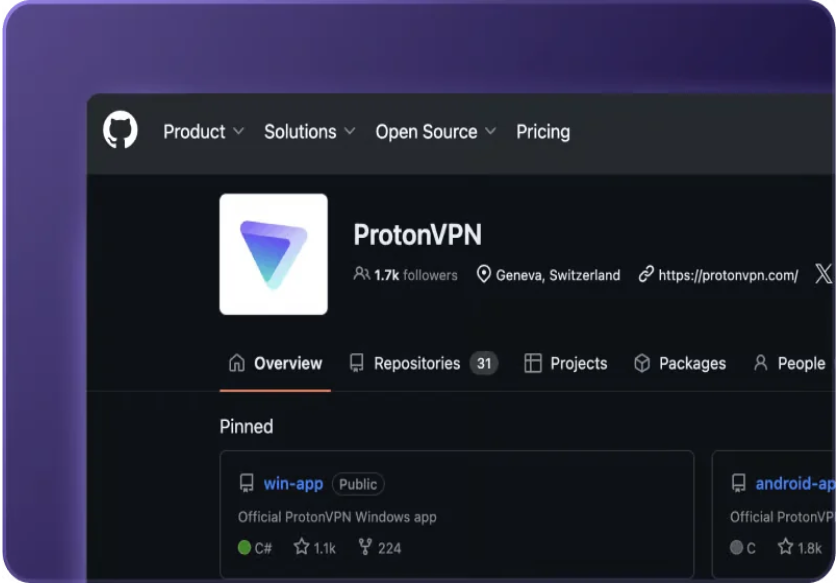
Proton VPN is a virtual private network service developed by Proton AG, a Swiss technology company known for privacy-focused products such as Proton Mail, Proton Drive, and Proton Pass.
A VPN creates an encrypted connection between your device and a VPN server. Your internet traffic travels through this connection, helping protect it from local network observers. Websites and online services generally see the VPN server's IP address instead of your original public IP address.
Proton VPN is designed for:
Everyday internet users who want additional online privacy
People who frequently connect to public Wi-Fi
Remote workers and professionals
Travelers who need secure internet access
Journalists and privacy-conscious users
People experiencing network restrictions or censorship
The service offers a free plan and several paid subscription options. Its applications are available for major desktop and mobile platforms, with additional support for selected browsers and streaming devices.
Key Features of Proton VPN
1. Encrypted VPN Connection
Proton VPN encrypts traffic traveling between your device and its VPN server. This helps protect your internet activity from people monitoring the local network, including users sharing an unsecured public Wi-Fi connection.
Encryption is particularly useful when accessing websites, communicating online, or using sensitive services over networks you do not control.
A VPN does not replace HTTPS or guarantee complete anonymity, but it adds an important layer of connection privacy.
2. IP Address Masking
When connected to Proton VPN, websites generally see the public IP address of the VPN server rather than your original public IP address.
This can help reduce direct exposure of your IP address to websites and online services. You can also select a different available server location when your subscription allows it.
Remember that IP masking alone does not prevent every form of online tracking. Cookies, browser fingerprinting, account logins, and other tracking methods can still identify activity.
3. Strict No-Logs Policy
Proton VPN states that it follows a strict no-logs policy and does not record users' online browsing activity.
The company's privacy approach is an important part of its service. Proton also publishes information about its privacy practices and independent security audits.
Users should still read the current privacy policy to understand what limited account and operational information may be processed to provide the service.
4. Kill Switch
The Kill Switch feature helps protect your real IP address if the VPN connection unexpectedly drops.
When enabled, it can block internet access until the VPN reconnects, reducing the possibility of your device continuing to browse through an ordinary internet connection.
This feature is especially useful for people who want their internet traffic to remain inside the VPN tunnel whenever possible.
5. Stealth VPN Protocol
Stealth is a VPN protocol designed to make VPN connections harder to identify and block in certain network environments.
It can be useful when connecting from networks that restrict or interfere with conventional VPN traffic. However, its effectiveness depends on the network and local restrictions.
6. Smart Protocol
Smart Protocol automatically selects a suitable VPN protocol based on connection conditions and application support.
Users can also manually choose from supported protocols, such as WireGuard and OpenVPN, depending on the platform and available settings.
This gives users flexibility when balancing connection speed, compatibility, and security.
7. NetShield Ad-Blocker
NetShield is a security feature available with eligible paid Proton VPN plans.
It helps block connections to domains associated with advertisements, trackers, and malware. This can reduce unwanted web requests and provide an additional layer of protection while browsing.
NetShield availability and options depend on the subscription and supported application.
8. Secure Core
Secure Core is an advanced privacy feature available with eligible paid plans.
It routes traffic through an additional privacy-focused Proton server before it reaches the final VPN server. Proton operates Secure Core infrastructure in selected privacy-friendly locations.
This approach is designed to provide additional protection against certain network-based attacks, although it may affect connection speed because traffic travels through more than one server.
9. Split Tunneling
Split tunneling allows users to decide which applications or connections use the VPN tunnel and which access the internet directly.
For example, you may want a browser to use the VPN while a local application connects through your normal internet connection.
This feature is available on supported platforms with eligible paid plans. Availability and configuration options can vary by operating system.
10. DNS and IPv6 Leak Protection
Proton VPN includes DNS and IP leak protection features designed to help prevent connection information from being exposed outside the VPN tunnel.
These protections are important because an improperly configured VPN connection may expose information about the user's internet connection.
Users can check their connection status and use reputable online leak-testing services to verify that their VPN is working as expected.
Proton VPN Free vs. Paid Plans
One of Proton VPN's main advantages is its free subscription. Unlike many free VPN services, the Proton Free plan does not impose a monthly data allowance or advertise artificial speed limits.
However, the free plan has fewer server choices and supports only one connected device at a time.
Proton VPN Free
The Free plan is suitable for users who need basic VPN protection without paying for a subscription.
Its main benefits include:
No monthly data limit
No advertisements
No-logs policy
One simultaneous device connection
Servers in 10 countries
Automatically selected free servers
Core VPN privacy and security features
Access to supported desktop and mobile applications
The free plan does not include every premium feature. Streaming access, P2P support, Secure Core, and NetShield are among the features associated with paid subscriptions.
Proton VPN Plus
VPN Plus is designed for users who need more server locations, additional features, and multiple simultaneous connections.
Its benefits include:
Access to servers in 140+ countries
More than 20,000 servers, according to Proton's current pricing information
Up to 10 simultaneous device connections
Higher available connection speeds
Streaming support
P2P and BitTorrent support
NetShield ad and malware blocking
Secure Core servers
Additional advanced VPN features
Proton also offers other subscription bundles that include VPN Plus alongside additional Proton services.
Free vs. Plus Comparison
Feature | Proton Free | VPN Plus |
|---|---|---|
Subscription | Free | Paid |
Data allowance | Unlimited | Unlimited |
Simultaneous devices | 1 | Up to 10 |
Server locations | 10 countries | 140+ countries |
Server selection | Automatically selected | Wider server selection |
Speed | No artificial speed limit | Highest available speeds |
Streaming | Not guaranteed | Supported |
P2P support | Not included | Included |
NetShield | Not included | Included |
Secure Core | Not included | Included |
No-logs policy | Included | Included |
Plan details can change. Check Proton's official pricing page before subscribing.
Privacy and Security Technology
Privacy is one of the main reasons users consider Proton VPN. The service combines encryption, VPN protocols, leak protection, and additional security features to protect internet connections.
VPN Encryption
The VPN tunnel encrypts traffic between your device and the VPN server. This helps prevent local network observers from easily reading the traffic traveling through that connection.
Supported VPN Protocols
Depending on the application and operating system, Proton VPN supports protocols such as:
WireGuard
OpenVPN
IKEv2 on supported platforms
Stealth
Proton's supported protocol options
Different protocols offer different combinations of speed, compatibility, and connection behavior.
Open-Source Applications
Proton publishes the source code for its applications, allowing security researchers and other interested users to inspect how the software works.
The company also reports independent security audits of its applications. Open-source availability and audits can improve transparency, although users should still keep their applications updated.
Swiss Privacy Jurisdiction
Proton AG is based in Switzerland. The company highlights Switzerland's privacy framework as part of its approach to protecting user information.
However, the legal treatment of data depends on applicable laws and circumstances. A VPN should not be treated as a guarantee against every form of monitoring or investigation.
Important Privacy Limitations
A VPN does not make a user completely anonymous. Websites may still identify users through cookies, account logins, browser fingerprinting, and other technologies.
For better privacy, combine a trusted VPN with secure browsing habits, updated applications, strong passwords, and multi-factor authentication.
Supported Platforms and Devices
Proton VPN supports a wide range of devices, making it useful for people who switch between computers, smartphones, tablets, and other connected devices.
Windows
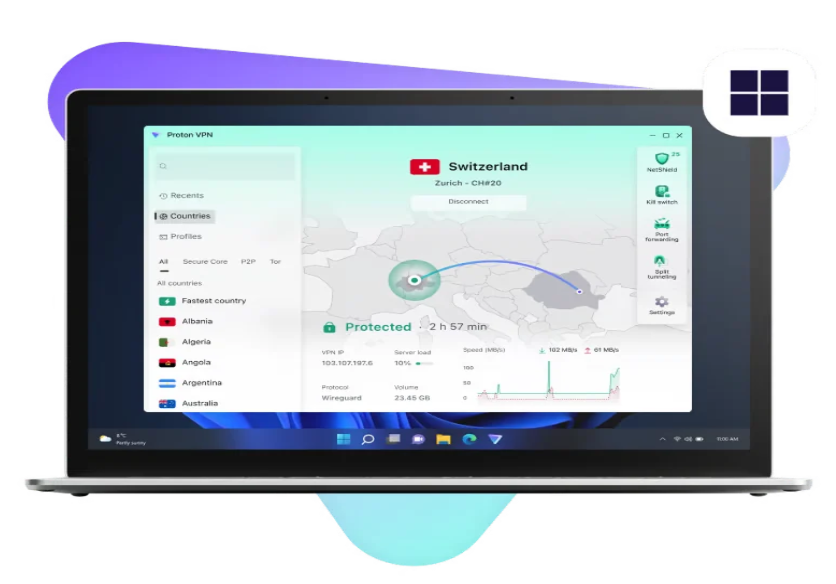
The dedicated Windows application provides VPN connections, protocol settings, Kill Switch, and other security controls.
macOS
Mac users can install the official Proton VPN application and connect to available VPN servers through a desktop interface.
Linux
Proton VPN provides Linux support through its official application and supported installation methods. Available features can vary by distribution and desktop environment.
Android
The Android application allows users to connect to VPN servers, manage connection settings, and protect mobile internet traffic.
iPhone and iPad
Proton VPN offers an iOS and iPadOS application for users who want encrypted internet connections on Apple mobile devices.
Browser Extensions
Proton provides browser extensions for supported browsers, including Chrome and Firefox. Browser extensions have a different scope from full-device VPN applications, so users should understand which traffic is protected.
Other Supported Devices
Depending on the available application and subscription, Proton VPN also supports selected platforms such as Chromebook, Android TV, Fire TV, and Apple TV.
Check the official download page for the latest supported platforms and installation options.
Proton VPN System Requirements
System requirements depend on the operating system and application release. Before downloading, check that your device meets the current requirements.
Platform | Compatibility information |
|---|---|
Windows | Windows 10 64-bit, version 19045 or later, and supported Windows 11 releases |
Windows ARM | Dedicated ARM64 application available |
macOS | Supported macOS versions listed on Proton's download and support pages |
Linux | Supported distributions and installation methods listed in Proton's Linux documentation |
Android | Compatible Android versions listed in Google Play and Proton documentation |
iOS/iPadOS | Compatible Apple operating-system versions listed in the App Store |
Browser extensions | Supported versions of Chrome and Firefox |
Additional considerations:
An active internet connection is required.
A Proton account is needed to sign in.
Sufficient storage space is required for the application.
Administrator permission may be needed during desktop installation.
Some advanced features require a paid subscription.
Older operating systems may not support the latest application version.
For Windows, Proton's current support documentation specifies Windows 10 64-bit version 19045 and later. Check the official requirements for other platforms before installing.
Proton VPN Free Download
Users searching for Proton VPN free download can obtain the official application directly from Proton's website or the supported app stores.
The free plan is a genuine no-cost option. Proton states that it has no data limits, no advertisements, and no artificial speed limits. It is supported by users who purchase paid subscriptions.
How to Download Proton VPN for Windows
Visit the official Proton VPN download page.
Choose the Windows application.
Select the appropriate installer for your device.
Choose the x64 or ARM64 version as required.
Download the installation file.
Create a free Proton account if you do not already have one.
Keep the downloaded installer ready for installation.
Downloading for Other Platforms
For macOS, Linux, Android, iPhone, and iPad, use the relevant download option on Proton's official website or the platform's trusted application store.
Avoid downloading modified installers from unknown websites. Unofficial packages may contain unwanted software, outdated files, or malicious changes.
Is Proton VPN Completely Free?
Proton VPN offers a free plan that can be used without purchasing a subscription. It includes unlimited data and core privacy features, but it has restrictions such as one simultaneous device connection and a limited selection of server locations.
Advanced features and broader server access require an eligible paid plan.
How to Install Proton VPN on Windows
Installing Proton VPN on Windows is straightforward. Follow these steps to set up the desktop application.
Step 1: Download the Installer
Visit the official Proton VPN website and download the correct Windows installer. Select the x64 or ARM64 version according to your device.
Step 2: Run the Setup File
Locate the downloaded EXE file and double-click it. If Windows requests permission to make changes to your device, review the prompt and allow the installation if you trust the installer.
Step 3: Choose Installation Settings
Follow the installation wizard. Select your preferred language and continue with the displayed setup instructions.
Step 4: Complete Installation
Allow the installer to copy the required files and configure the application. When the process finishes, launch Proton VPN.
Step 5: Sign In
Enter your Proton account credentials. If you do not have an account, create a free account through the official Proton website.
Step 6: Connect to a VPN Server
Use Quick Connect or select an available server according to your subscription. The Free plan automatically selects from its available server locations.
Step 7: Verify Your Connection
Check that the application reports an active VPN connection. You can also check your public IP address using a reputable IP-checking service.
How to Use Proton VPN
After installation, Proton VPN provides a relatively simple interface for connecting to VPN servers and managing security settings.
Quick Connect
Quick Connect automatically connects you to an available server based on your location and plan. It is a convenient option for users who do not need to select a specific location.
Selecting a VPN Server
Open the server list to review available locations. Your subscription determines which servers you can access.
Free users have a limited selection, while paid subscribers can choose from a much larger server network.
Enable Kill Switch
Open the application settings and locate the Kill Switch option. Enable it if you want the application to block internet access when the VPN connection unexpectedly disconnects.
Choose a VPN Protocol
Depending on your platform, you can use Smart Protocol or manually select a supported protocol such as WireGuard or OpenVPN.
If a connection fails, trying another supported protocol may help.
Manage Connection Settings
Explore the available settings for automatic connection, notifications, protocol selection, and other supported security controls.
Some advanced settings are restricted to paid plans or specific platforms.
Disconnect Safely
When you no longer need the VPN connection, open the application and select Disconnect. If you enabled automatic connection or Kill Switch settings, review their behavior before changing your network configuration.
Benefits of Using Proton VPN
Free Unlimited Data
One of the biggest advantages of Proton VPN is its free plan without a monthly data allowance. Users can browse without worrying about reaching a fixed VPN data limit.
No Advertisements
The Free plan does not rely on displaying advertisements inside the VPN service. This provides a cleaner experience than many advertising-supported free VPN products.
Privacy-Focused Development
Proton emphasizes privacy, transparency, open-source applications, and independent security audits.
Multiple Device Platforms
Applications are available for major desktop and mobile operating systems, allowing users to protect different devices.
Useful Security Features
Features such as encrypted connections, Kill Switch, and DNS leak protection help improve connection security.
Optional Premium Features
Users who need more server choices, streaming access, P2P support, or advanced privacy tools can upgrade to a paid plan.
Limitations of Proton VPN
Although Proton VPN offers several useful features, users should understand its limitations before choosing a plan.
The Free plan supports only one simultaneous device connection.
Free server locations are limited to 10 countries.
Free users cannot freely select every server location.
Streaming access is not guaranteed on the Free plan.
P2P and BitTorrent support require a paid plan.
NetShield and Secure Core are paid-plan features.
Some advanced settings are platform-dependent.
VPN performance can vary depending on internet quality, server load, and distance.
These limitations do not necessarily make the Free plan unsuitable. They simply help users understand whether the free or paid subscription is a better match for their needs.
Proton VPN vs. Other VPN Services
Several VPN providers offer privacy and security tools. Comparing their plans can help users choose a service that fits their requirements.
VPN service | General focus |
|---|---|
Proton VPN | Privacy-focused service with an unlimited free plan and advanced paid features |
NordVPN | Premium VPN service with a large server network and additional security tools |
ExpressVPN | Paid VPN service emphasizing ease of use and broad device support |
Surfshark | Paid VPN service with multi-device support and additional privacy features |
Windscribe | VPN service offering free and paid plans with configurable features |
When comparing VPN services, consider more than the number of advertised servers. Review the privacy policy, supported protocols, independent audits, device limits, server access, customer support, and subscription costs.
Frequently Asked Questions
1. Is Proton VPN free to download?
Yes. Proton VPN provides official applications for supported platforms, and users can create a free account to use its Free plan. Some advanced features require a paid subscription.
2. Is Proton VPN Free unlimited?
The Free plan has unlimited data usage and no artificial speed limit. However, it has restrictions on simultaneous devices and available server locations.
3. Does Proton VPN show advertisements?
Proton states that its Free VPN plan does not display advertisements.
4. Can I use Proton VPN on Windows 11?
Yes. Proton VPN supports Windows 11 through its official Windows application. Check the current compatibility requirements before installation.
5. How many devices can use Proton VPN Free?
The Free plan allows one simultaneous device connection. VPN Plus supports up to 10 simultaneous connections.
6. Does Proton VPN work on Android and iPhone?
Yes. Proton provides applications for Android and iOS devices through their respective official application stores.
7. Can Proton VPN unblock streaming services?
Proton advertises streaming support with eligible paid plans, including VPN Plus. Streaming availability can depend on the service, server, region, and current restrictions. It is not guaranteed in every situation.
8. Does Proton VPN keep activity logs?
Proton states that it follows a strict no-logs policy and does not log users' online activity. Review its current privacy policy for details about account and operational data.
9. Is Proton VPN safe for public Wi-Fi?
A VPN encrypts traffic between your device and its VPN server, helping protect your connection on public Wi-Fi. You should still use HTTPS websites, keep your device updated, and avoid suspicious downloads.
10. What is the difference between Proton VPN Free and Plus?
The Free plan offers unlimited data and basic VPN privacy features with one device connection and limited server locations. VPN Plus adds a larger server network, up to 10 simultaneous connections, streaming support, P2P, NetShield, and Secure Core.
11. Does Proton VPN support Linux?
Yes. Proton provides Linux support through its official application and documented installation methods. Check the Linux support page for compatible distributions and instructions.
12. Where can I download the official Proton VPN installer?
Download the application from Proton's official website at protonvpn.com/download or use the official application store for your device.
Final Verdict
Proton VPN is a strong option for users who want a privacy-focused VPN service with a genuine free plan. Its unlimited data, lack of advertisements, no-logs policy, encrypted connections, and support for multiple platforms make it useful for everyday browsing and public Wi-Fi protection.
The Free plan is suitable for individuals who need basic VPN access on one device and do not require extensive server selection. Users who want streaming support, P2P connections, Secure Core, NetShield, and up to 10 simultaneous device connections can consider VPN Plus.
If you are looking for Proton VPN free download, use the official Proton website or a trusted application store. Review the available plan details, supported operating systems, and privacy information before installing the application.